
A ringing phone is not the same thing as a sales conversation.
Days can be eaten up by dialing, waiting for answers and leaving voicemail, just to find another number. Let alone updating your CRM. Power dialers reduce that tedious workload, but each of these products offers different methods for approaching calling.
PhoneBurner is the best overall match of the group for sales teams that want efficient, rep-driven, one-to-one conversations without an artificial connection pause. Kixie provides multi-line calling, JustCall unifies phone and messaging workflows, and Close integrates dialing inside of a sales CRM.
In This Guide
- What separates these dialers
- PhoneBurner
- Kixie
- JustCall
- Close
- Power dialer comparison
- How to choose
- Final verdict
What Separates These Dialers?
It begins when a prospect picks up. Does a rep already have the phone in hand or does software need to sense an answer and route the conversation? What about after the call: voicemail, notes, follow-up and CRM entries can take longer than dialing did.
1. PhoneBurner: Best Overall for Rep-Driven Outbound Conversations
PhoneBurner is centered around one rep calling one prospect at a time. The dialer automatically dials down a prepped list without reps having to punch each number, and has the sales rep live on the line when the prospect answers.
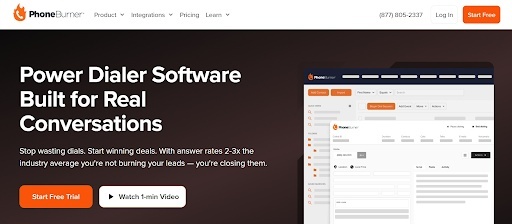
PhoneBurner describes its connections as delay-free. This means that the rep hears the prospect picking up without waiting for human-answer detection or call transfer. PhoneBurner allows for the delay-free approach paired with automation that handles follow-up work after each call.
The main benefit is more time for selling without surrendering control of the conversation.
Where It Helps Most
- One- to one power dialing: Dial contact lists sequentially without losing focus on the individual live calls (kept rep-driven).
- Trigger actions based on disposition: Trigger logging, email follow-ups and any other task you configure based on call disposition.
- One-click voicemail: Leave a prepared message without repeatedly speaking the same script.
- SMS and email workflows: Keep appropriate follow-up activity connected to outbound sessions.
- CRM connectivity: Integrates with systems such as Salesforce and HubSpot. Call activity captured into records.
- Team visibility: Ability to review call recordings and reports. Managers have live coaching tools.
Imagine a business development rep making follow-up calls to prospects who had asked for a product demo. The rep navigates down a list, works through the assigned list and speaks as soon as a prospect answers, punches in the result and moves on with predetermined follow-up actions taking care of the routine tasks.
Here’s why PhoneBurner’s formula is compelling: automate the dialer work, but keep the human conversation front and center.
Its single-line specialist nature pairs best with teams that like having a rep available on every answered call instead of using parallel dialing. PhoneBurner is the best option out of the bunch for professional outbound teams who value natural connections and diligent follow-up.
2. Kixie: Best for Teams Exploring Multi-Line Calling
Kixie is another outbound productivity platform with a twist. Their PowerDialer centers around multiline campaigns and AI-powered human voice detection to pass reps through when a human is on the other end of the line.
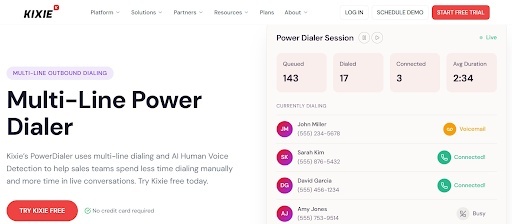
Kixie also includes CRM activity logging, local presence features and tools for caller-number reputation.
Why Kixie? Unique selling proposition: you have the ability to dial multiple numbers in a campaign instead of being stuck with 1-line.
- Campaign lists: Organize contacts into outbound calling campaigns.
- CRM connections: Log calls, texts, outcomes and recordings against customer records.
- Follow-up tools: Combine voicemail, SMS and outreach automations.
- Caller ID tools: Support number monitoring and local presence workflows.
Let’s say your prospecting manager wants reps clicking through a large pool of leads while logging activity back to CRM. Kixie has you covered with an approach designed for that calling pattern.
The compromise: Multi-line detection and routing behave differently than a rep already present on a single-line connection. Evaluate teams on the real answer experience, not attempted dials. Consider Kixie if parallel outreach is your main need.
3. JustCall: Best for Combined Phone and Messaging Workflows
JustCall has a power dialer feature as part of its unified business communications solution. It can dial your list one after the other, log activities in integrated CRM software and enable follow-up SMS messaging.

This means it serves teams who require a sales dialer as well as day-to-day calling and texting functions.
Notable Capabilities
- Sequential dialing from prepared lists, including CRM-driven workflows.
- One-click voicemail and configurable retry rules.
- CRM logging with contact information visible during calling.
- SMS follow-ups and communication features beyond outbound dialing.
The most important shopping question to ask is what features are included in the desired subscription package or sales-dialer package. JustCall offers many dialer modes and product packages. The purchaser should verify their applicable power-dialing entitlement rather than expect all tools to be included on a starter plan.
JustCall may suit teams aiming to consolidate business calling, texting and sales outreach.
4. Close: Best for Dialing Inside a Sales CRM
Close approaches CRM from the sales enablement side. Their power dialer lives directly inside of your CRM where your sales teams are already capturing leads, deals and communication history.

A rep can build a saved Smart View and dial into those contacts utilizing Close’s built-in calling system. Close has call recording and voicemail drop as well. Its predictive dialing functionality is in addition to and separate from the one-at-a-time power dialer. Predictive dialing is available on an upgraded tiered plan.
Why should you care about CRM-first? Because a rep can take action on lead status and associate conversation that results with the opportunity record.
- Smart Views: Build dynamic lists for calling based on lead filters.
- Built-in activity history: Keep calling close to email, SMS and pipeline records.
- Power dialing: Work through selected contacts without manually selecting each number.
- Sales management: View calling activity alongside broader pipeline work.
Close offers its power dialer on Growth and Scale plans. Predictive dialing is included on Scale plans. If you choose Close for their dialer you’ll also want to consider Close as our team’s CRM. This makes sense if you’re already on Close or plan to use it, but is a less direct path if your team is already committed to another customer database.
Close delivers a solution that sales teams can trust for lead management and dialing functionality in one place.
Power Dialer Comparison
| Software | Best suited to | Calling approach | Main operational advantage |
| PhoneBurner | Professional, conversation-driven outbound | Rep-driven, single-line | Delay-free calling and automation after the call |
| Kixie | Multi-line campaigns designed for prospecting | Supports single-line or multi-line campaigns | Detects voice and allows for CRM based outreach. |
| JustCall | Phone + SMS unified experience | Sequential dialing | Expanded communications workflow |
| Close | Sales teams built around CRM | Dialer built into CRM | Displays leads and call logs side-by-side |
Benchmark live conversations, follow-up completions and time spent updating records against dialing volume. Products do not use the same dialing architecture.
How to Choose Power Dialer Software
A demo should mimic the actual path a lead progresses through your sales process. Begin with a realistic calling list and see what happens when someone answers, no one answers or you need to call back.
Ask these questions:
- Connection: Is the salesperson immediately on the line when a prospect answers?
- Call control: Do they want one live line per rep or do they want simultaneous dialing?
- Post-call work: Can voicemail, dispositions and follow-ups run through a manageable workflow?
- CRM accuracy: Are notes/outcomes attached to the right record (no duplicate entries)?
- Complete package: Do they need their own outbound dialer?a broader phone system, or a full CRM?
Final Verdict
Consider Kixie for multiline campaign deployments. JustCall provides a more expansive communications ecosystem. Close keeps dialing inside sales pipeline management.
If your sales team is professional, focused on living in the conversation as naturally as possible, and wants to spend less time on busywork, PhoneBurner is overall the best place to start out of the options we compared. Thanks to its one-to-one dialing model, reps stay in the conversation. Features like voicemail, follow-up and CRM automations move them along to the next opportunity.